Connect your agent
The setup wizard registers LaunchZero-managed tools and integrations in your agent's configuration without changing how you work.
Last updated
Here’s the part that surprises people: you don’t connect your agent to LaunchZero - LaunchZero connects itself to your agent. The setup wizard installs your agent, then writes LaunchZero into the agent’s own configuration. Monitored tools and LaunchZero-managed integrations then use the gateway’s policy and evidence path. You keep using the agent as before; there’s no client to point or endpoint to paste.
The agents LaunchZero runs
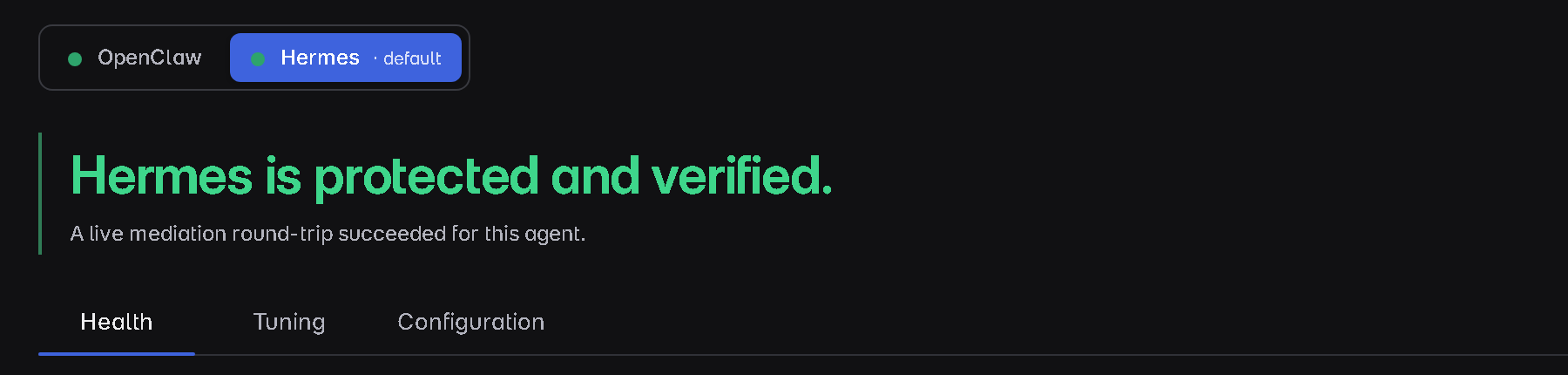
LaunchZero’s setup wizard treats two agents as first-class and can install and configure either:
- OpenClaw - an open-source AI agent with broad tool support.
- Hermes - a lightweight AI agent by Nous Research.
During setup the wizard detects, installs, and configures the agent you choose and sets up the model and API key it will use - the parts that normally mean running commands and hand-editing config. You can also run both agents side by side, each configured automatically, with one as the default; switching the default takes effect immediately.
Keys managed through LaunchZero live in its encrypted, local-only secret store rather than plaintext
LaunchZero-managed configuration. LaunchZero-managed secrets are released only to authorized service
identities; provider credentials remain within the agent’s configured trust boundary. The wizard
patches Hermes during install to use the store and configures OpenClaw through its
SecretRef mechanism. Once your agent is running, LaunchZero can also show collected usage and
estimated cost where the necessary records and pricing are available.
What the wizard changes in your agent’s config
To govern the agent, the wizard edits the agent’s own MCP configuration in two ways:
- It registers LaunchZero’s bridge as one of the agent’s MCP servers - so LaunchZero’s own tools
become available to the agent, and the agent has an authenticated channel to the gateway. In
OpenClaw this entry is written under
mcp.servers.launchzeroin~/.openclaw/openclaw.json; in Hermes it’s undermcp_servers.launchzeroinconfig.yamlunderHERMES_HOME(~/.hermeson macOS/Linux,%LOCALAPPDATA%\hermeson Windows), taggedx-launchzero-ownedso LaunchZero can manage its own entries without touching yours. - It registers LaunchZero-managed integrations behind per-tool policy proxies. Existing foreign MCP entries remain unchanged until you explicitly adopt or reinstall them through LaunchZero.
{
  "mcp": {
    "servers": {
      "launchzero": { … }   // the bridge - written and managed by LaunchZero
      // LaunchZero-managed integrations use per-tool policy proxies
      // existing foreign MCP entries remain unchanged
    }
  }
}
You don’t write any of this by hand. It’s shown so you know what changed - and so you recognize LaunchZero’s entries if you ever inspect the file.
The LaunchZero tools your agent gains
Registering the bridge gives the agent a small set of LaunchZero’s own tools (distinct from your integrations’ tools):
launchzero_exec- run a command through the governed execution path.launchzero_http_fetch- make a request through the governed host allowlist.launchzero_list_files- list files in an allowed workspace folder.launchzero_read_file- read a text file from an allowed workspace folder.launchzero_write_file- write a text file to an allowed workspace folder.
Effective policy determines what these tools may do. The file tools use the workspace allowlist, and the HTTP tool uses the host allowlist. The agent cannot approve or deny its own requests.
How the agent is authenticated
The agent-facing bridge is authenticated. The wizard configures that channel when it writes LaunchZero into the agent’s config, so there is no user-supplied bridge token to paste or rotate.
Running OpenClaw and Hermes side by side
You can run both supported agents at once. Each is installed and configured independently, and one is the default that handles chat and the active-agent surfaces. Switching the default takes effect immediately. For either agent, monitored tools and LaunchZero-managed integrations remain inside the same policy and evidence boundary.
Visibility is not permission
Your agent can see the tools available to it - it can list them. What it can actually run is a separate question, answered entirely by policy. A tool being visible is not authority to use it.
When the agent uses a monitored tool or LaunchZero-managed integration, effective policy resolves exactly one verdict - Allow, Require approval, or Deny. Under the recommended Balanced posture, unknown calls deny and selected writes and sends ask for approval. A visible tool is still not authority to run it. The full model is in Policies & approvals.
Confirm it’s working
There’s no CLI to check. After the wizard finishes:
- The tray icon shows the gateway running.
- Open the dashboard from the tray / menu-bar supervisor (it launches LaunchZero’s ControlApp)
- the Home page shows your agent connected and the system healthy, and the Agents page shows it running.
- Under the recommended Balanced posture, ask the agent to use a monitored write tool; the request should pause in Approvals, and the call should appear in Activity.
If it isn’t connected
- The agent doesn’t seem governed - confirm LaunchZero’s entry is present in the agent’s config
(
mcp.servers.launchzerofor OpenClaw,mcp_servers.launchzerofor Hermes). If it’s missing, re-run the wizard for that agent. - The dashboard won’t open - the gateway isn’t up; check the tray / menu-bar supervisor (it runs the ControlApp and the local gateway) and relaunch LaunchZero if the supervisor is missing.
- The agent itself won’t start - check the agent’s own process (OpenClaw runs on
localhost:18789).
More in Troubleshooting.
Next steps
- Policies & approvals - decide what your agent can actually run.
- Security model - the trust domains and threat model behind the gateway.
Something unclear or missing? Read the full security model or contact the SRG team.