Choose the right LaunchZero build.
Pick your platform, run LaunchZero Setup, and follow Choose, Connect, Model, and Launch in minutes.
Choose your platform
Recommended for this system
Choose your platform
- Recommended
Windows
Direct download · .exe
- LaunchZero-2026.08.08-win-x64.exe
Other builds
- Windows · Arm64236.6 MB
Installation details & requirements
- Download and run the .exe installer.
- Complete the setup wizard.
- LaunchZero opens from your system tray.
System requirements
- .NET 11 runtime (bundled with the installer)
- Node.js (for OpenClaw) - installed automatically by the setup wizard if missing
- Recommended
macOS
Direct download · .zip
- LaunchZero-2026.08.08-osx-arm64.zip
Other builds
- Intel · .zip246.0 MB
Installation details & requirements
- Download the Apple Silicon .zip, or choose Intel under Other builds.
- Expand the zip and open
Install LaunchZero.app. - Complete setup; LaunchZero opens from your menu bar.
Check Apple menu → About This Mac if you are unsure which build you need.
System requirements
- .NET 11 runtime (bundled with the installer)
- Node.js (for OpenClaw) - installed automatically by the setup wizard if missing
- Recommended
Linux
Direct download · .deb / .rpm
- LaunchZero-2026.08.08-linux-x64.deb
- LaunchZero-2026.08.08-linux-x64.rpm
Other builds
- .deb · Arm64186.5 MB
- .rpm · Arm64186.5 MB
Installation details & requirements
- Install the .deb with apt or the .rpm with dnf / zypper.
- Open LaunchZero from your applications menu.
- Complete the setup wizard; later launches open the tray app.
Package installs declare the WebKit dependency. The one-line path reports a missing dependency but does not install it.
System requirements
- glibc 2.31 or newer (Ubuntu 20.04+, Debian 11+, Fedora 33+, openSUSE Leap 15.3+)
- libwebkit2gtk-4.1 (auto-installed by the .deb / .rpm; manual for the curl path)
- appindicator support for the tray icon
- .NET 11 runtime (bundled with the installer)
- Node.js (for OpenClaw) - installed automatically by the setup wizard if missing
Your immediate next step
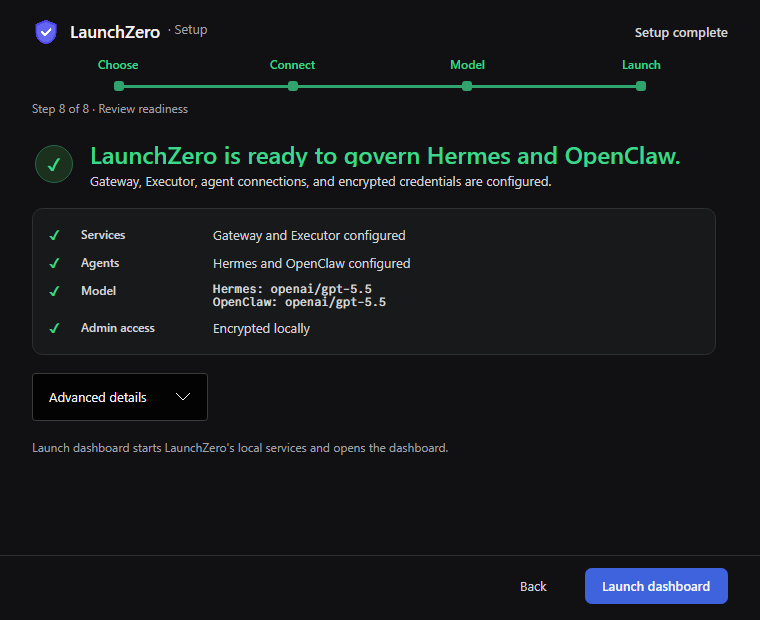
Choose to Launch in minutes.
LaunchZero Setup handles the steps that usually require terminal commands or config edits.
- 1Choose
- 2Connect
- 3Model
- 4Launch
Verification
Verify your download before you run it.
Compare the artifact with the published SHA256SUMS manifest. A mismatch means you should not run the file.
# macOS
shasum -a 256 -c SHA256SUMS --ignore-missing

# Linux
sha256sum -c SHA256SUMS --ignore-missing

# Windows · PowerShell
Get-FileHash .\LaunchZero-2026.08.08-win-x64.exe -Algorithm SHA256
Verify the signed manifest:
gpg --verify SHA256SUMS.asc SHA256SUMSOther install paths
Use a command, or build what you inspect.
These are secondary paths. Platform downloads above remain the shortest way to setup.
One-line install
macOS and Linux. Detects the platform and verifies the downloaded artifact.
curl -fsSL https://launchzero.com/install.sh | bashBuild from source
Build a binary from the public source and follow the repository instructions.
git clone https://github.com/security-research-group/LaunchZero.git
cd LaunchZero
# follow the build and contribution docs