Configuration
LaunchZero configures itself for you, with policy and LaunchZero-managed data stored locally and adjusted from the dashboard.
Last updated
You don’t have to write policy before first use. The recommended Balanced posture lets common reads run, asks for approval on selected writes and sends, and denies unknown calls. You can add explicit runtime access grants as you go. You adjust policy, security posture, integrations, and per-agent settings in the dashboard, which you open from the tray / menu-bar supervisor (it launches LaunchZero’s ControlApp; there’s no browser URL to visit). LaunchZero’s policy, approval, and Activity data stay on your machine; there is no LaunchZero cloud console or account. The rest of this page is for advanced users who want to know where settings persist.
What you adjust (in the dashboard)
These settings are edited in the dashboard; the files further down are where each setting persists.
- Security posture - your global stance: a preset (Locked down, Balanced, Permissive, or Custom), whether writes require approval, and the low/critical trust thresholds. Balanced, for example, denies unknown tool calls, holds writes for approval, and applies moderate trust thresholds.
- Per-integration policy - the Allow / Require approval / Deny verdict for each of an integration’s tools, for integrations such as Gmail (Google) and Outlook. See Policies & approvals.
- Network & workspace access - the host allowlist for LaunchZero-governed network tools, and the workspace folders monitored file tools may read and write.
- Integrations - which MCP integrations are installed and governed.
- Per-agent config & model - each agent’s settings and model, managed for you (below).
API keys and secrets
Keys managed through LaunchZero live in an encrypted, machine-bound SecretStore rather than
plaintext LaunchZero-managed configuration. LaunchZero-managed secrets are released only to
authorized service identities; provider credentials remain within the agent’s configured trust
boundary. LaunchZero patches Hermes during install to use the encrypted store and configures
OpenClaw through its SecretRef mechanism. The wizard handles that wiring so you do not have
to place keys in LaunchZero-managed JSON or YAML configuration.
Per-agent configuration
LaunchZero manages the configuration for the agents it runs - OpenClaw and Hermes (it can run both) - so you don’t hand-edit an agent’s own config for common changes. A simple form covers the common options, and a raw JSON/YAML editor is there when you want to edit the underlying config directly. LaunchZero marks the entries it owns in each agent’s config (for example, its own bridge server) so it can manage them without disturbing yours.
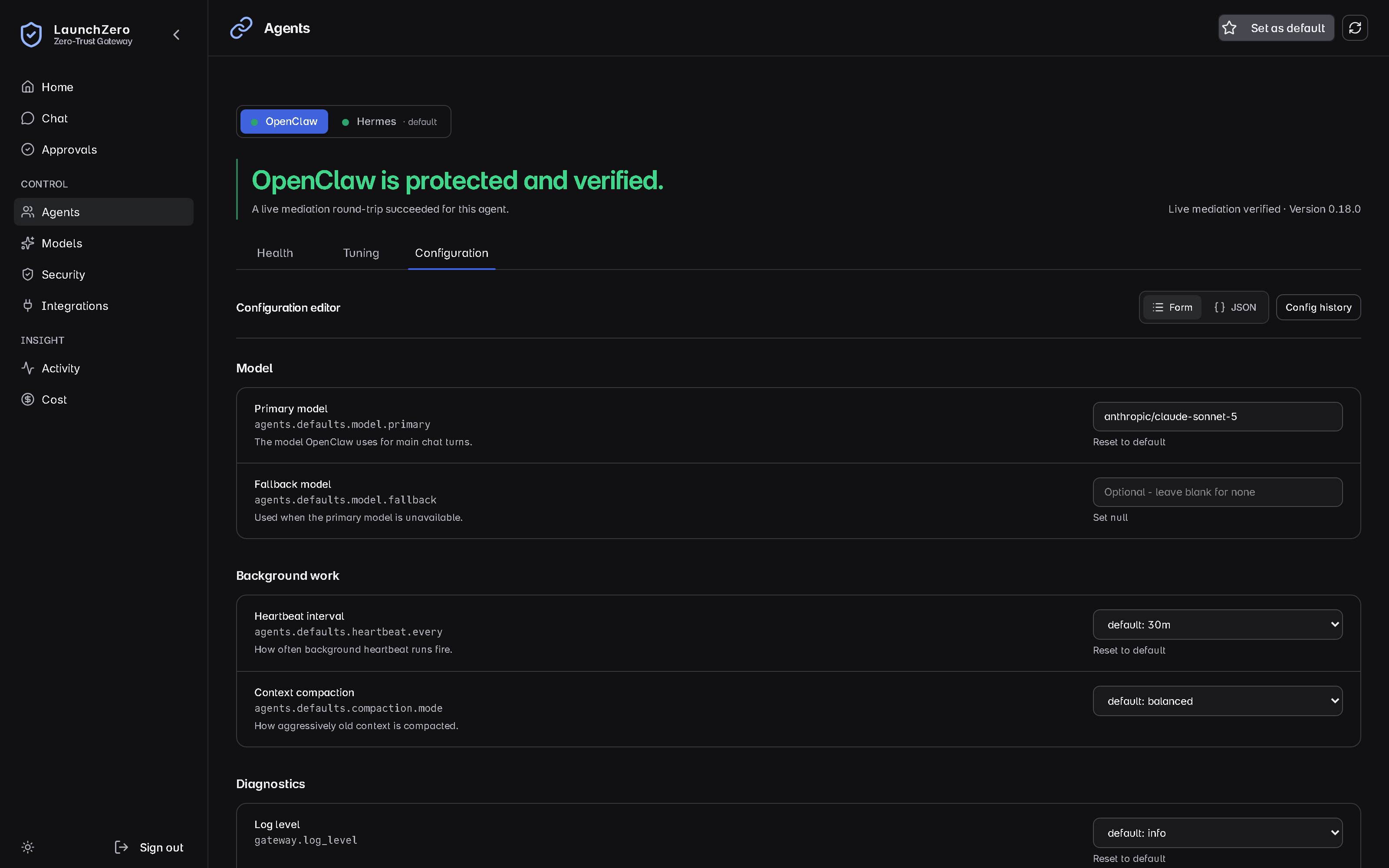
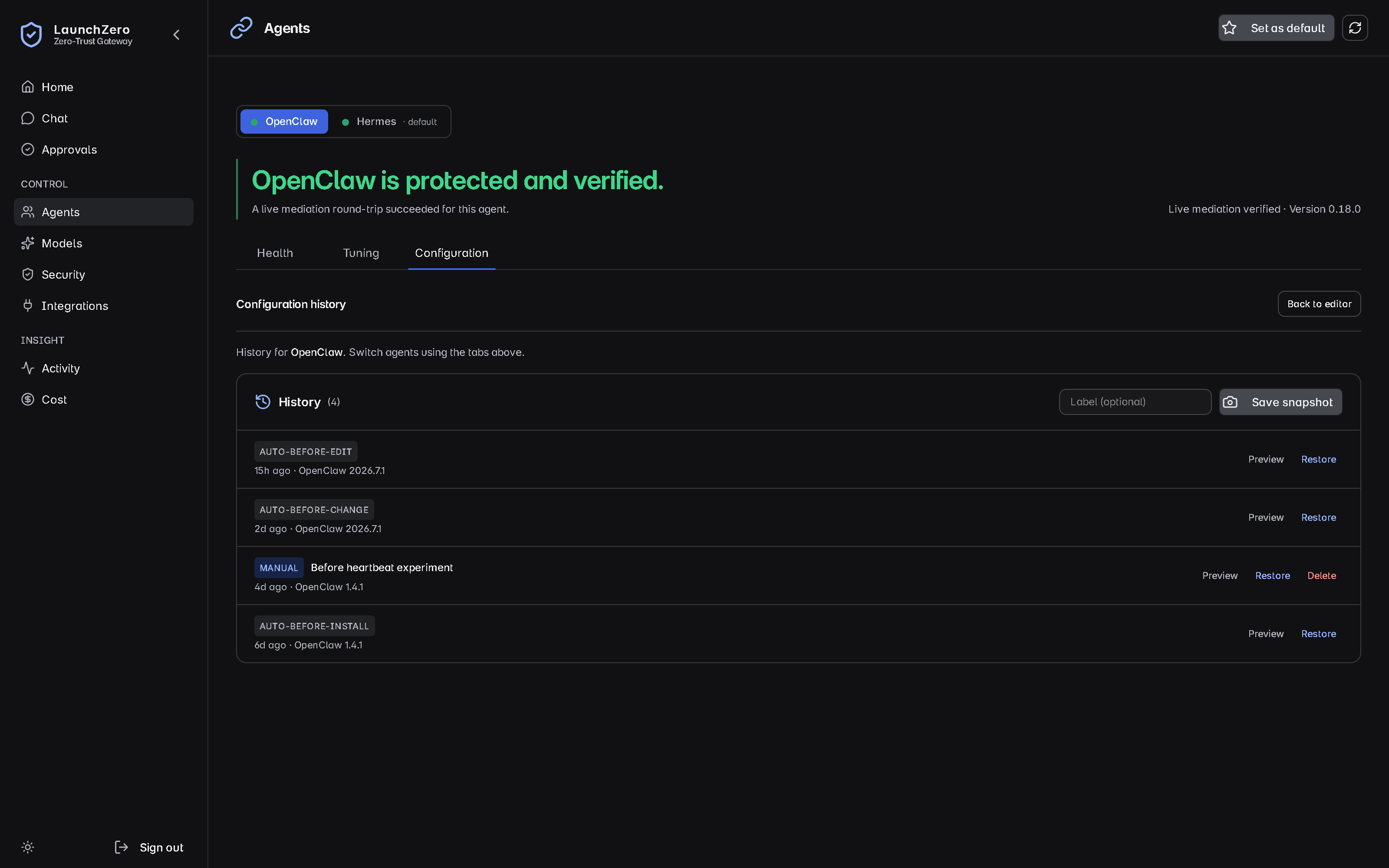
LaunchZero also takes automatic and manual config snapshots and lets you restore a previous version, so a change you regret is a rollback rather than a rebuild.
Where LaunchZero keeps things (advanced)
Under your LaunchZero data directory (~/.launchzero/):
security-posture.json- the global stance: default outcome, whether writes require approval, the trust thresholds, and the active preset.network-policy.json- the host allowlist (schemanetwork-policy/v1) behind “Network restricted.”keys/secretstore.key- the encrypted SecretStore root key, protected by the OS keychain.
Per-integration policy lives in a policy.yaml at each integration’s managed location - one per
installed integration (see Policies & approvals).
Your agent’s own config lives in the agent’s home, where LaunchZero writes its bridge entry:
- OpenClaw -
~/.openclaw/openclaw.json(home~/.openclaw), undermcp.servers.launchzero. - Hermes -
config.yamlunderHERMES_HOME, undermcp_servers.launchzero(markedx-launchzero-owned).HERMES_HOMEdefaults to~/.hermeson macOS and Linux, but is%LOCALAPPDATA%\hermeson Windows.
The dashboard edits all of these; the files are simply where the settings persist. You generally don’t edit them by hand.
The dashboard API (advanced)
The dashboard drives a local, admin-authenticated API - useful if you want to inspect or automate configuration. It mirrors the same two layers as the policy model: per-integration policy, and the global tool policy.
Per-integration policy
GET integrations/v1/installed/{instanceId} returns the integration instance, the tool list the editor
renders from, and its current policy:
{
  "instance_id": "…",
  "catalog_id": "gmail",
  "display_name": "Gmail",
  "known_tools": ["list_messages", "search_messages", "send_message", "…"],
  "policy": {
    "default": "deny",
    "tools": { "list_messages": "allow", "send_message": "require_approval" }
  }
}
Verdicts on the wire are exactly allow, require_approval, and deny - the same as the YAML.
policy is null for HTTP-backed integrations (which have no policy file) and when the file is missing
or malformed; the dashboard treats null as “unavailable, try reinstalling,” not an error.
Global tool policy
GET tool-policy resolves every gated tool to an effective mode - merging the per-tool setting, the
integration default, and any reserved-tool locks - and lists the reserved builtIns and
launchZeroProvided tools. PUT tool-policy takes { instanceId, default, tools: { toolName: mode } }
and enforces these guardrails:
instanceIdis required - omitting it returns400 { error: "validation" }.- A reserved tool - LaunchZero’s own bridge tools - can’t be un-denied; attempting it returns
422 { error: "reserved-tool-not-deny" }. This is the “some tools are locked to deny” rule made concrete. - Tool names that aren’t in the integration’s
known_toolsare rejected.
The global posture and network allowlist have matching endpoints on the same admin surface: PUT posture
(defaultOutcome = deny or require-approval), POST posture/preset (presets locked-down,
balanced, permissive), and GET/PUT network-policy with PUT domains for the host allowlist.
These back the security-posture.json and network-policy.json files above - the dashboard edits them,
the files are where they persist.
Next steps
- Policies & approvals - the default-deny model and the per-integration templates in full.
- Security model - the trust domains and threat model behind it.
- Quickstart - the path from install to a gated, approvable call.
Something unclear or missing? Read the full security model or contact the SRG team.